Finding the right digital photo frame means balancing image quality, ease of sharing, and reliable storage. The following picks center on WiFi-enabled frames that let you send photos and short videos from anywhere, while keeping memories private and organized. Each option offers large screens, strong app support, and built-in storage to help you display life’s moments with minimal effort.
| Product | Brand | Screen | Storage | Key Feature |
|---|---|---|---|---|
| Akimart 10.1″ Frame | akimart | 10.1″ IPS | 32 GB + micro SD | Private sharing via Frameo app, auto-rotate, weather and clock display |
| BIGASUO 15.6″ Frameo | BIGASUO | 15.6″ IPS Full HD | 64 GB + expandable via SD/USB | Large display with private sharing through Frameo |
| Dragon Touch 10.1″ | Dragon Touch | 10.1″ IPS | Built-in unknown; supports app sharing | Instant wireless sharing via app, auto-rotate |
| FLYRUIT 10.1″ | FLYRUIT | 10.1″ IPS | 32 GB built-in + micro SD expansion | Frameo app sharing, easy setup, multiple storage options |
| MaxAngel Frameo 10.1″ | MaxAngel | 10.1″ IPS | 32 GB + micro SD support | Secure sharing via Frameo, paralleled video support |
With these frames, you’ll find options that suit different room sizes and gifting needs. All offer the Frameo or similar private sharing ecosystem, allowing you to invite family and friends to contribute photos and short clips. The mix includes compact 10.1-inch displays and a larger 15.6-inch option for a central living room showpiece. Storage ranges from 32 GB to 64 GB, with external cards for additional capacity. Each model emphasizes easy setup, privacy, and a family-friendly sharing flow.
Akimart 10.1-Inch Frame With Frameo App
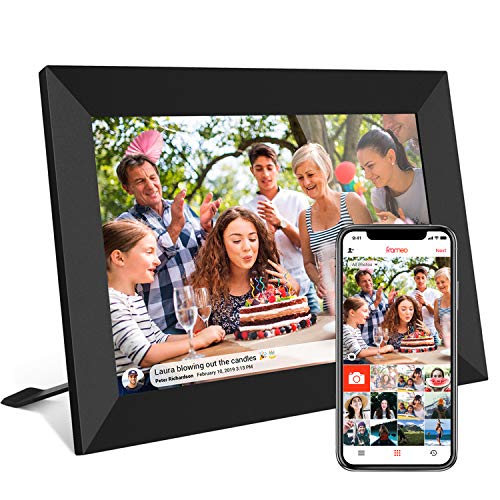
The Akimart model uses a 10.1-inch IPS touchscreen to deliver clear viewing angles. It ships with 32 GB of internal memory and supports micro SD expansion for growing storage. The Frameo app enables private photo and short video sharing from anywhere in the world, ensuring family members stay connected without exposing memories publicly. Auto-rotate keeps images oriented correctly, while adjustable brightness and a sleep mode help tailor viewing comfort. The device includes a stand and plays back common formats like JPG, JPEG, BMP, PNG, and MP4.
BIGASUO 15.6-Inch Frameo Digital Picture Frame

BIGASUO offers a larger 15.6-inch frame with Full HD 1920×1080 IPS panel and a robust 64 GB of built-in memory. The frame supports SD cards and USB drives for direct imports and backups, expanding versatility for offline use. It runs on the Frameo app, enabling secure, private sharing of photos and short videos from anywhere via a 2.4 GHz Wi-Fi network. The generous display area makes it ideal for living rooms or hallways where many photos deserve to be displayed at once.
Dragon Touch 10.1″ WiFi Digital Picture Frame

Dragon Touch emphasizes family connection with quick updates via Wi-Fi and a 10.1-inch touch display. The frame supports instant sharing of photos and short videos through the associated app, and auto-rotate ensures correct orientation across portrait or landscape layouts. The device is positioned as a thoughtful gift for birthdays and family milestones, balancing ease of use with reliable performance for everyday memory sharing.
FLYRUIT 10.1-Inch Frameo Digital Frame

The Flyruit model combines a 10.1-inch IPS display with 32 GB built-in storage and expansion via micro SD cards. It uses the Frameo app for private, person-to-person sharing of photos and short videos from anywhere via a 2.4 GHz network. The device highlights user-friendly touch controls, a vivid display, and a sturdy design that makes it suitable as a gift for grandparents or new homeowners. It’s designed to hold thousands of pictures and can accommodate more with external storage options.
MaxAngel Frameo 10.1-Inch Digital Frame
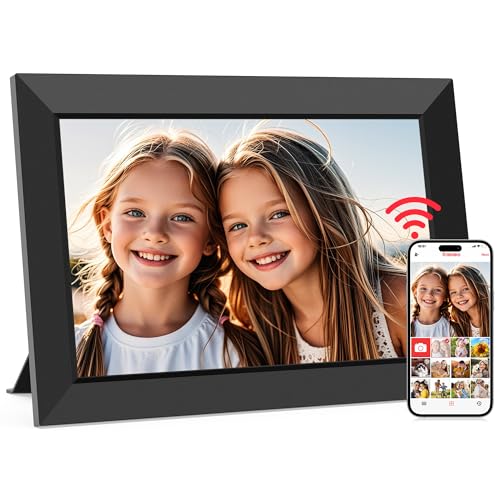
The MaxAngel frame focuses on privacy and sharing control through the Frameo ecosystem. Its 10.1-inch IPS screen provides clear visuals, with 32 GB of memory plus micro SD expansion options. The Frameo app enables invited friends and family to contribute photos and short clips from anywhere, helping families build a shared digital album. The device is positioned as a practical, low-friction choice for gifting to relatives who appreciate simple, secure photo sharing.
Buying Guide: Key Purchase Considerations
- Display size and resolution: A larger screen (like 15.6 inches) makes a living-room focal point, while 10.1-inch frames are more compact for desks or nightstands. Look for IPS panels and Full HD where possible for accurate colors and wide viewing angles.
- Storage and expandability: Built-in memory (32–64 GB) should cover thousands of photos, while micro SD or USB expansions can accommodate archives and backups. FAT32 formatting compatibility helps with quick setup.
- Sharing platform and privacy: Frameo and similar apps offer private sharing with invited family members. Ensure the system restricts access to approved contacts and supports short video formats to keep data usage reasonable.
- Wi-Fi compatibility: Most frames work on 2.4 GHz networks. If you have a 5 GHz router, confirm compatibility or plan for a simple network setup to avoid trouble connecting.
- Ease of use: Grandparent-friendly interfaces with simple swipe/tap controls, auto-rotate, and sleep modes reduce friction. Some frames include weather, clock displays, and captions as additional convenience features.
- Setup and compatibility with existing devices: Check whether the frame supports importing photos from phones, cloud albums, or direct transfers via SD cards. App reliability and regular updates matter for long-term use.
- Aesthetics and mounting options: Consider frame design, stand stability, and wall-mount compatibility if you plan to place it in a common area. A clean, minimal frame looks better in most interiors.
- Gift suitability: For grandparents and busy families, opt for frames with straightforward setup, reliable app support, and robust sharing workflows to maximize the impact of the gift.