Finding a reliable 4-port video splitter helps you duplicate a single video source to multiple displays without quality loss. This guide reviews five top options across HDMI, VGA, and mixed formats, highlighting what each brings to classrooms, event spaces, retail displays, and home entertainment. Whether you need mirror output for a PS5 setup, a projector wall, or a CCTV monitor array, these products offer stable distribution, easy setup, and durable construction. The following selections are designed to perform consistently in American AV environments.
Summary of chosen products:
| Product | Format | Max Resolution | Notes |
|---|---|---|---|
| MT-ViKI HDMI Splitter 1×4 | HDMI | 4K @ 30Hz | Power adapter included; not a switch |
| Unitek HDMI Splitter 4-Port 1×4 | HDMI | 4K @ 30Hz | Aluminum chassis; mirror output |
| StarTech.com 4-Port VGA Splitter | VGA | 2048×1536 @ 80Hz | High bandwidth; classic analog distribution |
| IMAGE 1 PC To 4 Monitors VGA Splitter | VGA | Up to 1920×1440 | Compact, plug-and-play, daisy-chain capable |
| OREI UltraHD 4K HDMI Splitter 1×4 | HDMI | 4K/60Hz | HDMI 2.0, EDID management |
Across these options, users can tailor their setup to explicit needs—whether emphasizing high-resolution HDMI distribution for media centers or reliable VGA mirroring for older display arrays. The list includes both consumer-friendly and professional-grade splitters to cover a wide range of environments.
MT-ViKI 1×4 HDMI Splitter

MT-ViKI’s HDMI Splitter provides a straightforward 1-in, 4-out design, distributing a single HDMI source to four displays with identical output. The device explicitly notes it is a splitter, not a switch, so the source should connect to the input and each display to an output. It supports 4K at 30 Hz and 3D formats, making it suitable for gaming consoles, Blu-ray players, or streaming devices. An included AC adapter helps preserve signal strength over longer runs, reducing the chance of blackouts or dimming on far displays. The unit emphasizes reliability for mirror displays across multiple rooms or setups.
Unitek 4-Port HDMI Splitter
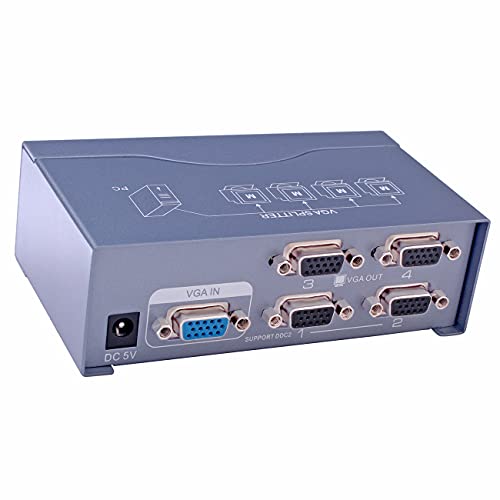
Unitek’s 4-port HDMI splitter mirrors a single input across four displays with up to 4K at 30 Hz. Its aluminum chassis helps dissipate heat during long sessions, supporting steady performance in classrooms, homes, or small venues. The product is designed for mirror output, making it ideal for scenarios where all screens must show the same content simultaneously—such as a training room, events, or showroom demonstrations. The bundled construction aims to maintain signal integrity across multiple cables and ports, supporting a consistent viewing experience across all connected displays.
StarTech.com 4-Port VGA Video Splitter
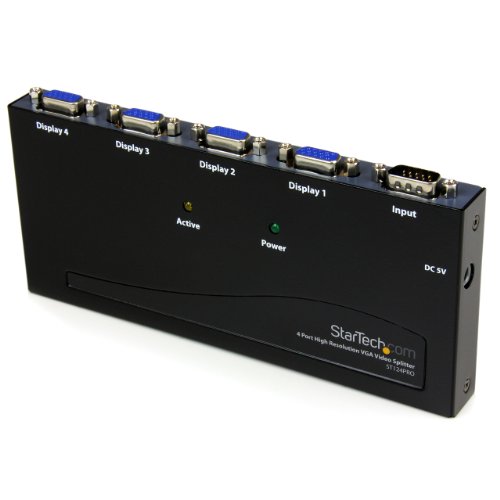
StarTech’s 4-port VGA splitter enables a single VGA source to duplicate across four monitors with support for high bandwidth up to 350 MHz. This model is well-suited to environments relying on legacy VGA displays, including classrooms, conference rooms, and retail demos. The maximum resolution of up to 2048×1536 at 80 Hz ensures crisp visuals on capable monitors. Given its VGA-centric design, it’s an excellent option for older projectors or displays where HDMI isn’t practical, ensuring broad compatibility and straightforward setup.
IMAGE 4-Port VGA Splitter Box
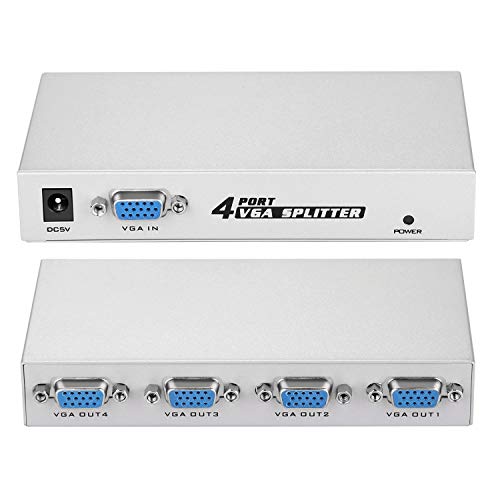
IMAGE’s 4-port VGA splitter offers a compact, plug-and-play approach to distributing a PC’s display to four outputs. It supports up to 150 MHz bandwidth, enabling a consistent video signal across four displays with identical output. The product description highlights practical use cases such as light-board monitoring, director tables, and stage management—situations where synchronized visuals are critical. It supports daisy chaining and resolutions up to 1920×1440, making it a versatile choice for smaller venues or educational labs that rely on older display technology.
OREI UltraHD 4K HDMI Splitter 1×4

OREI’s HDCP 2.0-compliant HDMI splitter distributes one HDMI input to four HDMI outputs while supporting 4K at 60 Hz and 1080p formats. It includes EDID management to ensure compatibility with various displays and devices, which helps maintain stable color and timing across all outputs. The device uses a dual-voltage supply and provides an international adapter option, making it suitable for global installations or venues with mixed power environments. This splitter is well-suited for high-definition home theaters, classrooms, or digital signage systems where multiple screens must mirror a single source with faithful color and timing fidelity.
Buying Guide: Key Considerations For 4-Port Video Splitters
When selecting a 4-port video splitter, consider the following factors to match the device to your setup:
- Input and output format: Choose HDMI for modern devices or VGA for legacy displays. Some environments benefit from BNC or RCA formats, but those are less common in 4-port splitters with single-input configurations.
- Output type: Mirror vs. extend. Most 4-port splitters are mirror-only (duplicate the same image). If you need different outputs, a matrix switch or a more advanced distribution amplifier may be required.
- Resolution and bandwidth: Ensure the splitter supports your source’s resolution (4K, 1080p, etc.) and the cable length involved. Higher resolutions may demand better shielding and power stability.
- Power requirements: Some units ship with an external power adapter; others may be passive. If you’re running cables over long distances, opt for a powered model to maintain signal quality.
- Build quality and heat management: Aluminum or metal housings often offer better durability and heat dissipation in extended sessions or public settings.
- EDID and HDCP compatibility: EDID management helps ensure displays behave consistently, while HDCP compatibility protects content rights across devices.
- Warranty and support: A longer warranty provides confidence for business or educational deployments, especially in high-traffic environments.
In real-world deployments, users should assess display compatibility, cable lengths, and the necessity of mirroring across all screens. HDMI splitters are generally preferred for modern devices and digital signage, while VGA options remain valuable for legacy systems or classrooms with older projectors. For multimedia installations, pairing a powered splitter with high-quality cables yields the most reliable performance, particularly when multiple displays are involved.