Gamers demand fast, fluid visuals, and a 2K, 144Hz display with 1ms response time delivers. This article highlights five top options that pair sharp 1440p clarity with razor-smooth motion, HDR readiness, and adaptive sync tech. Each pick comes from trusted brands and includes key specs to help you compare performance, connectivity, and ergonomics for competitive games, simulations, and immersive single-player titles.
Summary of selected products
| Product | Brand | Resolution | Refresh Rate | Response Time | Key Tech |
|---|---|---|---|---|---|
| KTC 27 Inch Gaming Monitor (H27S17) | KTC | 2560×1440 | 170Hz | 1ms | FreeSync/G-Sync Compatible, 1500R curved |
| ASUS TUF VG27AQ (VG27AQ) | ASUS | 2560×1440 | 165Hz (OC to 170Hz) | 1ms MPRT | G-SYNC Compatible, ELMB Sync |
| Acer XB271U (XV271U M3bmiiprx) | MONITOR | 2560×1440 | 180Hz | 1ms | FreeSync Premium, HDR |
| KTC 27 Inch 2K QHD (H27T22C-3) | KTC | 2560×1440 | 210Hz | 1ms | Adaptive Sync, HDR400 |
| ASUS TUF VG27AQ1A | ASUS | 2560×1440 | 170Hz | 1ms | G-SYNC Compatible, ELMB |
KTC 27 Inch Gaming Monitor — 2K With 1ms Response

The KTC H27S17 is a 27-inch 1440p curved gaming monitor designed for fast action. It features a 1500R curved VA panel, 1ms MPRT response time, and a 1500R curvature to emphasize immersion. It supports FreeSync and is reported as G-Sync compatible to reduce tearing when paired with compatible GPUs. The monitor also integrates GAMPLAY tools like crosshairs and black equalizer to assist in precision during FPS play. HDR10 support adds brightness and contrast for more vivid scenes.
ASUS TUF Gaming 27″ 2K HDR Monitor (VG27AQ)

The ASUS VG27AQ delivers WQHD resolution with a high refresh rate and adaptive sync. It supports 165Hz (overclocked to 170Hz) and a 1ms MPRT response time, helping reduce motion blur in fast-paced titles. G-SYNC compatibility ensures tear-free gameplay, while ELMB Sync technology further minimizes blur. The monitor emphasizes eye comfort with ASUS Eye Care, and its ergonomic stand supports height, tilt, and pivot adjustments to suit long gaming sessions.
Acer Nitro 27″ WQHD 2K Monitor
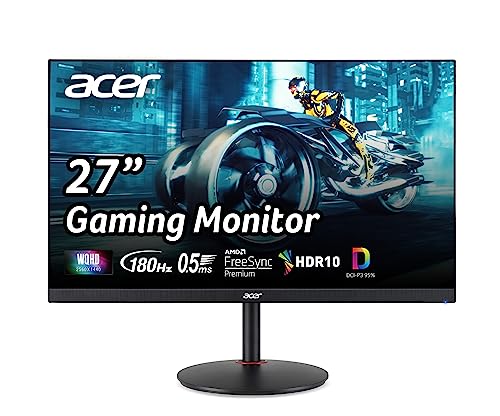
The Acer Nitro XV271U M3bmiiprx focuses on a 2K IPS panel with FreeSync Premium, offering up to 180Hz when using DisplayPort and 144Hz via HDMI. It provides a 1ms response time (G to G) and built-in stereo speakers. The monitor targets both competitive gaming and multimedia, with a color-accurate panel and a robust set of connections for versatile setups.
KTC 27 Inch 2K HDR Monitor (H27T22C-3)
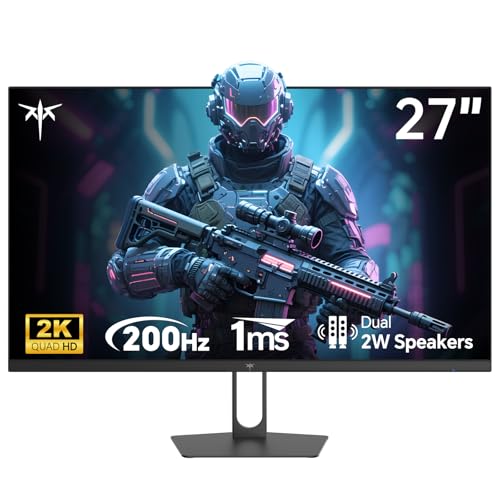
This KTC model emphasizes high refresh rates up to 210Hz with 1ms response times, aimed at competitive gaming. It uses a 2560×1440 display with 120% sRGB and HDR400 for richer color and better contrast. Adaptive Sync keeps tearing at bay, and HDMI 2.0 x2 plus DP 1.4 x2 offers flexible connectivity for multi-device setups. The panel design focuses on fast motion handling and color fidelity during intense gameplay.
ASUS TUF VG27AQ1A — 2K HDR, 170Hz

The ASUS VG27AQ1A brings 2K HDR visuals with a 170Hz refresh rate (supports 144Hz) and 1ms response time. It’s G-SYNC Compatible and includes ELMB technology to minimize motion blur. The monitor supports VESA mounting and offers ergonomic adjustments. This model targets enthusiasts who want high frame rates with crisp detail and reduced ghosting across fast titles, while maintaining color accuracy and comfort for long sessions.
Buying Guide
Key purchase considerations:
- Resolution and panel type: For 2K at 144Hz, IPS panels typically offer the best color accuracy and viewing angles, while VA panels can deliver strong contrast on curved designs. Consider HDR performance if you value brighter highlights and richer shadows.
- Refresh rate and overclocking: Look for native 144Hz panels or models that overclock to 165–180Hz, paired with 1ms response times (MPRT) to minimize motion blur in fast gameplay.
- Adaptive sync support: G-SYNC Compatible or FreeSync Premium helps eliminate tearing. Verify GPU compatibility with the monitor’s adaptive sync tech to ensure a tear-free experience.
- Connectivity: Ensure multiple DisplayPort and HDMI inputs suit your PC and consoles. USB hubs and audio out can add convenience.
- Ergonomics and size: A 27″ or larger screen benefits from adjustable stands, tilt/pivot/height options, and VESA compatibility for optimal viewing angle.
- Color and HDR: HDR10 support and wide color gamuts (like 120% sRGB) deliver more vivid images, but real-world HDR performance depends on brightness and panel capabilities.
- Build quality and gaming features: Features like crosshair overlays, black eQualizer, and FPS optimization tools can offer a tangible edge in competitive play.
- Longevity and warranty: Gaming monitors can vary in build quality and service terms. Consider models with solid warranties and reliable after-sales support.
Overall, the selection above provides a range of 2K, 144Hz, 1ms monitors with varying strengths—immersion through curved designs, high refresh rates suitable for competitive titles, and robust adaptive-sync ecosystems. Evaluate your GPU compatibility, desk space, and whether you prioritize color accuracy or motion clarity to choose the best option for your setup.