For gamers seeking sharp detail and smooth motion, a 2560×1440 (QHD) monitor is a standout choice. This article highlights five compelling options that balance speed, color, and connectivity. Each model offers a different mix of refresh rates, adaptive sync, HDR, and ergonomic design to fit diverse setups—from competitive eSports desks to immersive home theaters. Use the quick-reference table below to compare core specs and find the best fit for your rig.
| Product | Panel Type | Resolution | Refresh Rate | Adaptive Sync |
|---|---|---|---|---|
| LG 27G640A-B | IPS | 2560×1440 | 300Hz | NVIDIA G-Sync; AMD FreeSync Premium |
| Acer KG271U | IPS | 2560×1440 | Up to 180Hz | AMD FreeSync |
| AOC Q27G41ZE | IPS | 2560×1440 | 240Hz (Overclock to 260Hz) | G-Sync Compatible; Adaptive-Sync |
| Dell S2725DS | IPS | 2560×1440 | 100Hz | Adaptive-Sync (not specified) |
| SANSUI 27 inch | IPS | 2560×1440 | 200Hz | Adaptive Sync |
LG 27G640A-B 27″ QHD IPS Gaming Monitor

The LG 27G640A-B pairs a 27-inch QHD IPS panel with an ultra-fast 300Hz refresh rate and 1ms response time, ideal for high-frame-rate titles. It supports NVIDIA G-Sync and AMD FreeSync Premium to minimize tearing, with VESA DisplayHDR 400 for brighter highlights. The monitor includes extensive calibration options and a versatile stand for tilt, height, swivel, and pivot adjustments, enabling comfortable long sessions. HDR brightness and color accuracy are designed to deliver crisp, lifelike visuals across fast-action scenes.
Acer KG271U 27″ QHD IPS Gaming Monitor

The Acer KG271U offers a 27-inch IPS panel with 2560×1440 resolution, delivering sharp detail and wide viewing angles. It features a nearly borderless design to maximize screen real estate and supports AMD FreeSync for smoother gameplay by syncing with compatible GPUs. With a high refresh rate of up to 180Hz, this monitor provides crisp motion handling for fast-paced titles, while a low input lag helps gamers react quickly in competitive scenarios. The combination of image clarity and fluidity makes it a popular all-around choice.
AOC Gaming Q27G41ZE 27” QHD IPS Monitor
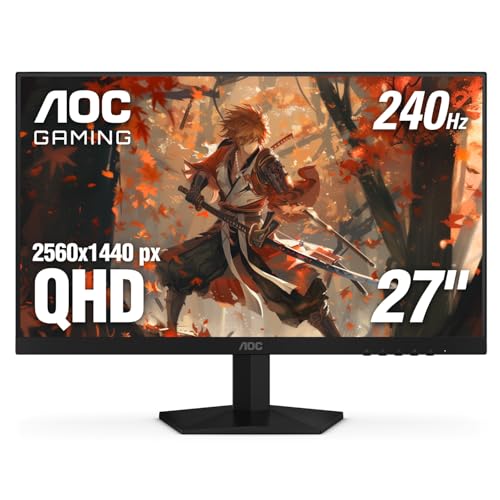
The AOC Q27G41ZE delivers a 27-inch QHD IPS panel with a strong 240Hz refresh rate and 0.3ms MPRT response time, designed to keep motion crystal clear. An overclock option to 260Hz is available for additional headroom in competitive play. It also supports Adaptive-Sync and is G-Sync compatible, reducing tearing and stutter across a range of GPUs. The 3-sided frameless design enhances immersion and lets you place multiple monitors with minimal gaps for an expansive gaming setup.
Dell S2725DS 27″ QHD IPS Monitor

The Dell S2725DS focuses on a balanced QHD experience with a 27-inch IPS panel and robust color performance. It includes integrated speakers for convenient multimedia use and ergonomic adjustments such as height, tilt, swivel, and pivot. This model emphasizes eye comfort, earning TÜV Rheinland certification, and offers a comfortable, calibrated viewing experience suitable for long gaming or work sessions. Its versatile inputs ensure compatibility with a wide range of devices and setups.
SANSUI 27 WQHD IPS Gaming Monitor
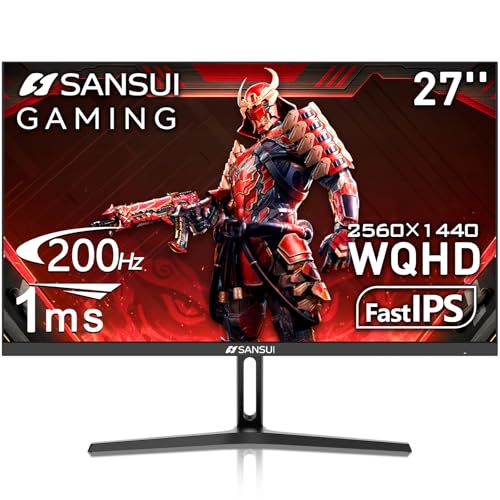
The SANSUI 27-inch WQHD monitor offers a high refresh rate up to 200Hz with 180Hz adaptive sync and a 1ms response time for competitive gaming. Its IPS panel delivers wide viewing angles and strong color performance, with HDR support to enhance contrast and brightness. The monitor features a sturdy metal stand and a comprehensive port selection, including HDMI and DisplayPort. It suits users who want a responsive display with rich color fidelity for both gaming and creative work.
Buying Guide: Key Purchase Considerations
When choosing a 2560×1440 monitor, consider the following dimensions to match your needs:
- Refresh rate and response time: For competitive gaming, prioritize 165Hz or higher with sub-1ms response if possible. Overclocking to higher refresh rates may be available on select models.
- Adaptive sync: G-Sync Compatible or FreeSync helps eliminate tearing. Verify compatibility with your GPU and whether the feature is native or through a certified compatibility program.
- Panel and color: IPS panels offer accurate color and wide viewing angles, while some models may emphasize HDR performance with DisplayHDR or similar standards. Color accuracy matters for content creation as well as immersive games.
- HDR and brightness: HDR support can improve contrast and highlights, but ensure peak brightness is sufficient to deliver meaningful HDR visuals in your lighting environment.
- Connectivity and ergonomics: Look for a mix of HDMI, DisplayPort, and USB-C where relevant. Ergonomic stands with height adjustment, tilt, swivel, and pivot help reduce strain during long sessions.
- Size and desk fit: A 27-inch screen is a common sweet spot for QHD, offering sharp images without excessive desk space use. Consider your viewing distance and desk layout when choosing size.
- Build quality and reliability: Check reviews for panel uniformity, backlight bleed, and long-term stability. Warranty terms offer added protection for investment.
- Use case balance: For gaming-only rigs, prioritize motion handling and color; for mixed work and media consumption, consider speakers, USB hubs, and color accuracy.
Across these picks, the LG model emphasizes ultra-high refresh performance and HDR brightness, while Acer and AOC bring strong price-to-performance for fast action. Dell highlights comfort and integrated audio for a balanced multimedia experience, and SANSUI delivers a responsive IPS option with robust adaptive syncing. Each option aligns with different priorities—speed, color fidelity, ergonomics, and overall versatility—so choose based on your GPU, desk space, and primary usage.