Choosing a 23 to 24 inch monitor with HDMI input can upgrade your workspace or entertainment setup. This guide highlights five reliable options that balance color accuracy, eye comfort, and flexible connectivity. Each selection is suitable for productive work, video calls, and multimedia viewing, with features like IPS panels, 1080p resolution, and refresh rates that keep visuals smooth. Read on to compare key specs, plus a buying guide to help you pick the right screen for your needs.
| Product | Brand | Resolution | Panel | HDMI | Notes |
|---|---|---|---|---|---|
| ViewSonic VA2456A-MHD | ViewSonic | 1920×1080 | IPS | Yes | 120Hz, eye care |
| Amazon Basics 24-inch IPS Monitor | Amazon Basics | 1920×1080 | IPS | Yes | Built for office and home |
| Sceptre 22-Inch E225W-FW144 | Sceptre | 1920×1080 | LED | Yes | Up to 144Hz, built-in speakers |
| ViewSonic VA2448-MH | ViewSonic | 1920×1080 | IPS | Yes | 120Hz, eye care |
| Philips 24E2N2100 | Philips | 1920×1080 | IPS | Yes | 120Hz, warranty |
Note: All models listed offer HDMI inputs, making them versatile for desktops, laptops, and gaming consoles. The values shown reflect typical configurations and features described by manufacturers and retailers.
ViewSonic VA2456A-MHD 24-Inch IPS Monitor

The VA2456A-MHD from ViewSonic delivers a 24-inch Full HD (1920×1080) IPS panel with a slim bezel design for productive setups. It supports a 120Hz refresh rate for smoother motion in everyday tasks and media playback. The monitor emphasizes color accuracy from various viewing angles thanks to SuperClear IPS technology, ensuring consistent brightness and vibrant visuals. Enhanced viewing comfort includes Flicker-Free technology and a Blue Light Filter to reduce eye fatigue during long work sessions. Connectivity includes HDMI, DisplayPort, and VGA inputs for flexible use with different devices.
Amazon Basics 24-Inch IPS Monitor

This 24-inch IPS monitor from Amazon Basics provides solid color accuracy with an FHD 1080p panel. It features multiple inputs including HDMI, DisplayPort, VGA, and a 3.5mm audio out, enabling easy connection to laptops, desktops, and external speakers. The IPS technology ensures broad viewing angles and dependable color rendering for office tasks, video conferencing, and streaming. The monitor is designed to fit both home and small office environments with a straightforward setup and reliable performance.
Sceptre 22-Inch E225W-FW144

The Sceptre E225W-FW144 is a compact 22-inch monitor offering a 1080p display with up to 144Hz refresh, designed to deliver smooth visuals for work and casual gaming. It includes built-in speakers to minimize desk clutter and features Blue-Light Shift technology to reduce eye strain during extended use. The nearly bezel-free design supports versatile dual-monitor setups, helping you stay more focused on tasks with fewer distractions. Connectivity includes HDMI and DisplayPort for compatibility with a range of devices.
ViewSonic VA2448-MH 24-Inch IPS Monitor
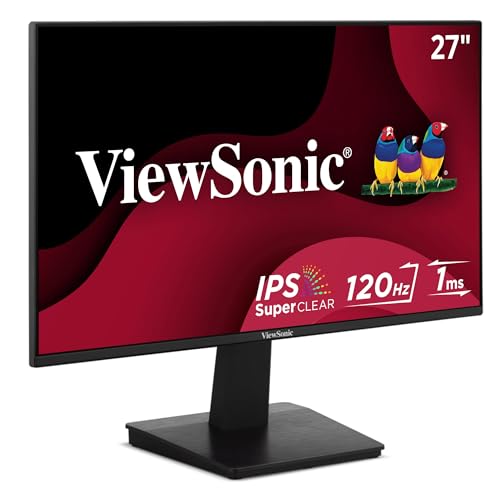
The VA2448-MH combines a 24-inch Full HD IPS panel with a 120Hz refresh rate for smoother everyday tasks and media. It emphasizes a frameless design to maximize screen real estate and a clean look on your desk. With eye care features like Flicker-Free technology and a Blue Light Filter, it aims to reduce eye fatigue during long work sessions. The monitor provides HDMI and VGA inputs, making it adaptable to desktops, laptops, and multimedia devices.
Philips 24E2N2100 24-Inch IPS Monitor
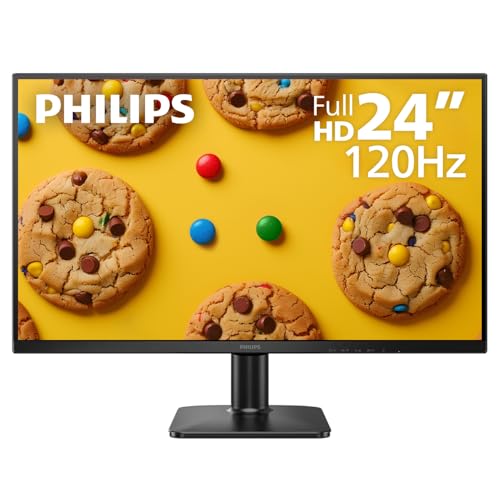
The Philips 24E2N2100 is a 24-inch IPS monitor that emphasizes clarity and color accuracy for office and multimedia use. It supports a 120Hz refresh rate for smoother motion and includes VESA mounting compatibility for flexible workspace arrangements. The display’s ultra-narrow bezels maximize screen space and make it suitable for multi-monitor setups. HDMI and VGA inputs offer straightforward connections to a wide range of devices, from laptops to desktops and external media players.
Buying Guide: Key Purchase Considerations
- Panel type and color accuracy: IPS panels tend to offer the best color consistency and wide viewing angles, making them ideal for work, design, and media consumption.
- Resolution and size: For a 23–24 inch monitor, 1080p (1920×1080) is common and adequate for most tasks. Consider a slightly larger screen if you frequently multitask across windows.
- Refresh rate: A higher refresh rate (e.g., 120Hz or 144Hz) provides smoother motion in scrolling and videos. This can be beneficial for gaming or fast-paced multimedia.
- Eye comfort features: Flicker-Free technology and Blue Light filters can reduce eye strain during long sessions. Check for adjustable brightness and ergonomic stands.
- Connectivity: HDMI is essential, but including DisplayPort and VGA adds flexibility for older devices. Built-in speakers are a plus for clutter-free desks but may compromise sound quality.
- Ergonomics and mounting: Look for tilt, swivel, pivot, and height adjustments. VESA compatibility enables wall mounting or adjustable stands.
- Warranty and support: A strong warranty, especially for business use, reduces downtime and ensures repair or replacement options.
Across these options, buyers can expect solid 1080p clarity, responsive refresh rates, and eye-friendly features that suit both work tasks and entertainment. When choosing, align the monitor’s inputs, stand adjustability, and panel performance with your daily workflow and desk setup.