Finding a reliable 10-port fan hub helps centralize cooling and lighting in modern PC builds. This guide surveys popular 10-port hubs from trusted brands, highlighting PWM control, ARGB support, SATA power, and installation convenience. Whether you want synchronized fan speed, vivid lighting, or tidy cable management, these hubs offer scalable options for expanding cooling without overloading motherboard headers.
| Product | Brand | Key Features |
|---|---|---|
| DARKROCK 20-Port PC Case Fan Hub with Remote Control | DARKROCK | Dual SATA power, 10-channel PWM, 10 ARGB ports |
| ARCTIC Case Fan Hub | ARCTIC | SATA-powered, 9 extra fan slots, synchronous PWM |
| Thermalright Integrated Fan Hub (10-Port) | Thermalright | SATA power, 10 fan ports, compact, dual-sided mounting options |
| Ocypus Delta EH10 Fan Hub | Ocypus | 10 PWM ports, 10 ARGB outputs, smart protection |
| Thermalright Fan HUB Controller REV. A | Thermalright | 10 ports, PWM read/adjust, magnetic/double-sided mounting |
DARKROCK 20-Port Fan Hub With Remote
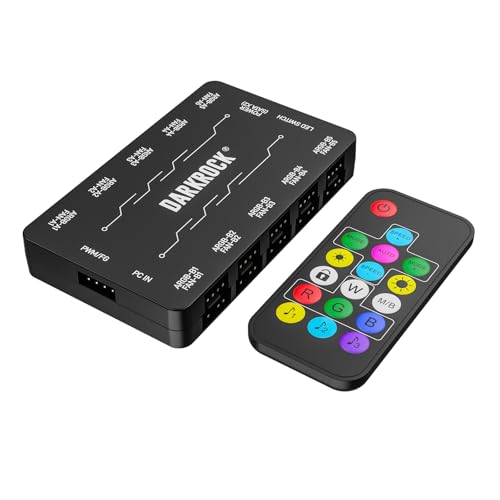
The DARKROCK hub consolidates power, speed control, and lighting into a single module designed for high-demand builds. It wires to the power supply via a dual SATA connection, enabling precise PWM management for up to 10 4-pin fans. The remote control provides convenient on-the-fly speed adjustments, which can help optimize cooling during gaming or rendering tasks. With support for up to 10 addressable RGB fans using 5V 3-pin connectors, users can synchronize lighting effects across multiple fans, creating a cohesive visual appearance. The compact form reduces clutter behind the motherboard tray while preserving airflow paths.
Reference features and practical notes: Efficient PWM control extends fan life by maintaining stable RPMs under varied loads. The remote control interface simplifies adjustments without opening the case, which is helpful for tuning performance after a system wake or initial setup. The ARGB compatibility is ideal for enthusiasts who want synchronized lighting without multiple controllers. Installation typically requires routing the SATA power cable to a PSU connector and connecting ARGB headers to the motherboard or controller network. Adequate cable management is recommended to prevent cable snagging on fans or case panels.
ARCTIC Case Fan Hub
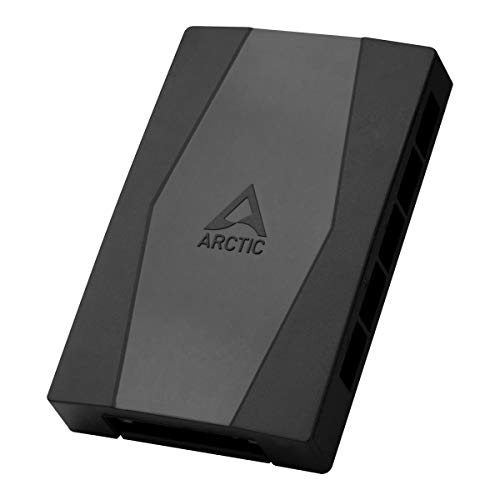
ARCTIC’s hub centers on expanding fan capacity while maintaining clean cable management. It connects to the motherboard with a single cable and powers fans through a SATA-compatible path, which helps avoid common header limitations. Synchronous fan control means the PWM signal is distributed consistently to all connected fans, ensuring predictable behavior as you ramp RPMs up or down. The hub adds nine additional fan slots beyond what a typical motherboard provides, enabling more aggressive cooling configurations for mid- to high-end builds. The emphasis is on compact, quiet performance with streamlined airflow in mind.
Key considerations include PWM compatibility for multiple fans and the ability to keep cabling organized inside the chassis. The design supports efficient management of power and data lines to prevent voltage dips during peak loads. Users should verify that their case has room for the hub and ensure a suitable mounting location to minimize visibility issues and maximize airflow. Consider pairing with a motherboard that supports robust PWM control for best results.
Thermalright Integrated Fan Hub
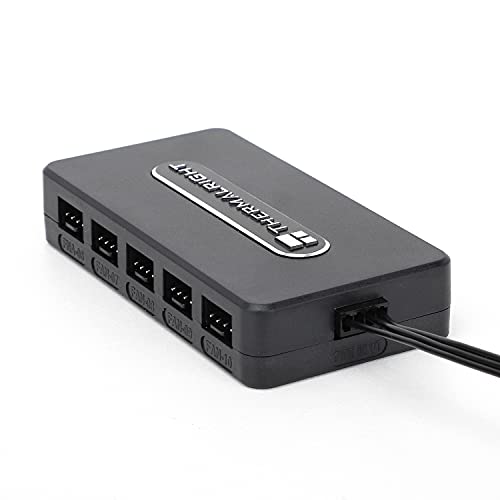
The Thermalright 10-Port Integrated Fan Hub focuses on a compact, powerful solution that can handle up to 10 fans with a direct SATA power input. It emphasizes maintaining stable output even under heavy loads, which is essential for sustained cross-ventilation in high-performance builds. The device uses a straightforward approach to cable management with a strong double-sided mounting option, allowing easy placement inside the chassis without adding extra bulk. Its reliable performance and the brand’s experience in cooling components are core advantages for builders prioritizing dependable operation.
Design implications include ensuring the hub can be mounted in a suitable location with accessible SATA power and header connections. The single-view mounting approach helps minimize cable clutter, while PWM compatibility allows precise speed control for each connected fan. For users upgrading to larger radiative cooling strategies, this hub provides a stable backbone for expanding fan counts without sacrificing management simplicity.
Ocypus Delta EH10 Fan Hub
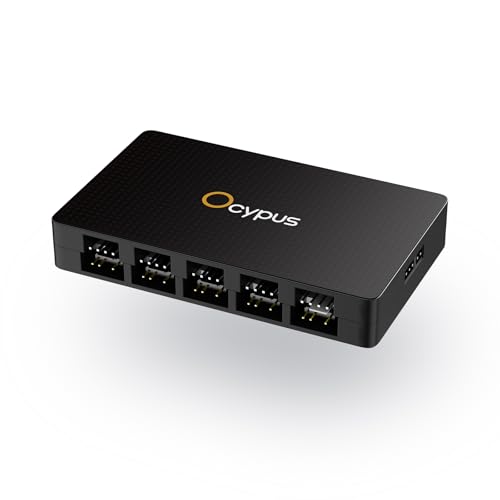
The Ocypus Delta EH10 focuses on a broad expansion for both PWM and ARGB lighting. It supports 10 PWM ports for synchronized speed control and 10 ARGB output ports for creating personalized lighting schemes. A critical compatibility note is that ARGB must be 5V 3-pin systems; it does not support 12V 4-pin RGB headers. The hub includes smart circuit protection on each ARGB port, helping prevent damage to the motherboard if a misconfiguration occurs. Magnetic mounting and a practical layout support tidy cable routing and flexible placement inside the case.
From a planning perspective, ensure your motherboard’s ARGB header is compatible with 5V 3-pin devices; verify the PWM signal path aligns with the fans you intend to use. The smart protection features provide a safety buffer, reducing risk during setup experimenting with lighting effects. This hub is well-suited for users who want a centralized, visually synchronized cooling and lighting solution with straightforward magnetic installation.
Thermalright Fan HUB Controller REV. A

Thermalright’s REV. A hub emphasizes high-performance cable management with the ability to install 10 PC fans simultaneously. It uses a dual-side layout that supports 5 fans on each side, enabling flexible placement and minimal tangling of cables. The hub recognizes PWM signals and offers speed adjustment, though note that only speeds from the red interface are read by the system due to PWM motherboard IC limitations. The kit includes strong double-sided stickers for secure placement, making it a practical pick for clean builds where the hub needs to stay put during operation or transport.
Considerations include ensuring the motherboard and fans provide a compatible PWM signal path and that the red interface usage aligns with your fan arrangements. The magnetic/double-sided mounting and quick installation features help builders minimize downtime during upgrades. This hub is a solid choice for users wanting reliable, scalable fan control with a focus on neat, safe installation.
Thermaltake Commander FP SATA Powered 10-Port Hub

The Thermaltake Commander FP is a compact, SATA-powered hub that can connect up to 10 four-pin PWM fans. It relies on direct SATA power input to prevent power spikes and ensure stable operation when multiple fans run concurrently. This model includes practical mounting accessories like ties and velcro tabs to secure the hub and keep cables neatly organized. It’s designed to help users maximize cooling potential inside cases that have limited motherboard fan headers. The included hardware makes placement straightforward, allowing fans to be positioned for optimal airflow without clutter.
Practical notes include checking that your power supply can handle the combined current of all connected fans and that the hub’s SATA power line remains unobstructed. It’s a straightforward, no-frills option for expanding fan slots while keeping cable management simple and predictable under load.
Buying Guide: Key Purchase Considerations For A 10-Port Fan Hub
- PWM and ARGB Support: Determine whether you need 4-pin PWM fan control, 3-pin ARGB lighting, or both. Some hubs emphasize lighting synchronization, others focus on fan speed management; several offer both, which can simplify wiring and reduce controller clutter.
- Power Delivery: SATA-powered hubs are common, but check total wattage and whether the PSU can handle peak draw when multiple fans accelerate. Dual SATA power or optional power injection may improve stability in demanding builds.
- Number Of Ports: While labeled as 10-port hubs, verify how many ports support PWM or ARGB and whether there are any spare headers for future expansion. Some devices provide more than 10 ports in practice or support splitters.
- Installation And Mounting: Look for magnetic mounts, double-sided tape options, or bundled ties for cable management. A compact footprint helps in smaller cases, while magnetic backplates simplify placement on metal surfaces.
- Protection And Safety: Short-circuit and overcurrent protections are valuable, especially when running many fans or ARGB devices simultaneously. Individual port protections reduce the risk of cascading failure.
- Compatibility: Ensure motherboard support aligns with PWM protocols and ARGB standards (5V 3-pin vs. 12V 4-pin). Some hubs explicitly exclude 12V RGB headers, so verify compatibility with your components.
- Cable Management: A hub that keeps cables organized reduces airflow obstruction and makes future upgrades easier. Check if the hub provides consolidated cables and clear labeling for ports.
- Warranty And Brand Support: Reputable brands often provide longer warranties and documentation to assist with installation, troubleshooting, and firmware or driver updates.
- Use Case Fit: Consider whether you’re building a quiet, mid-range, or enthusiast-class system. For silent builds, prioritize hubs with stable PWM control and low-noise operation; for display-focused builds, ARGB synchronization and lighting modes may be more important.
In summary, the right 10-port fan hub balances power handling, speed control, lighting integration, and installation ease. Whether you prioritize tight cable management, synchronized RGB lighting, or robust PWM control across many fans, there are options tailored to different chassis layouts and user needs. Compare PWM and ARGB support, mounting options, and warranty coverage to choose a hub that aligns with your build goals and maintenance preferences.